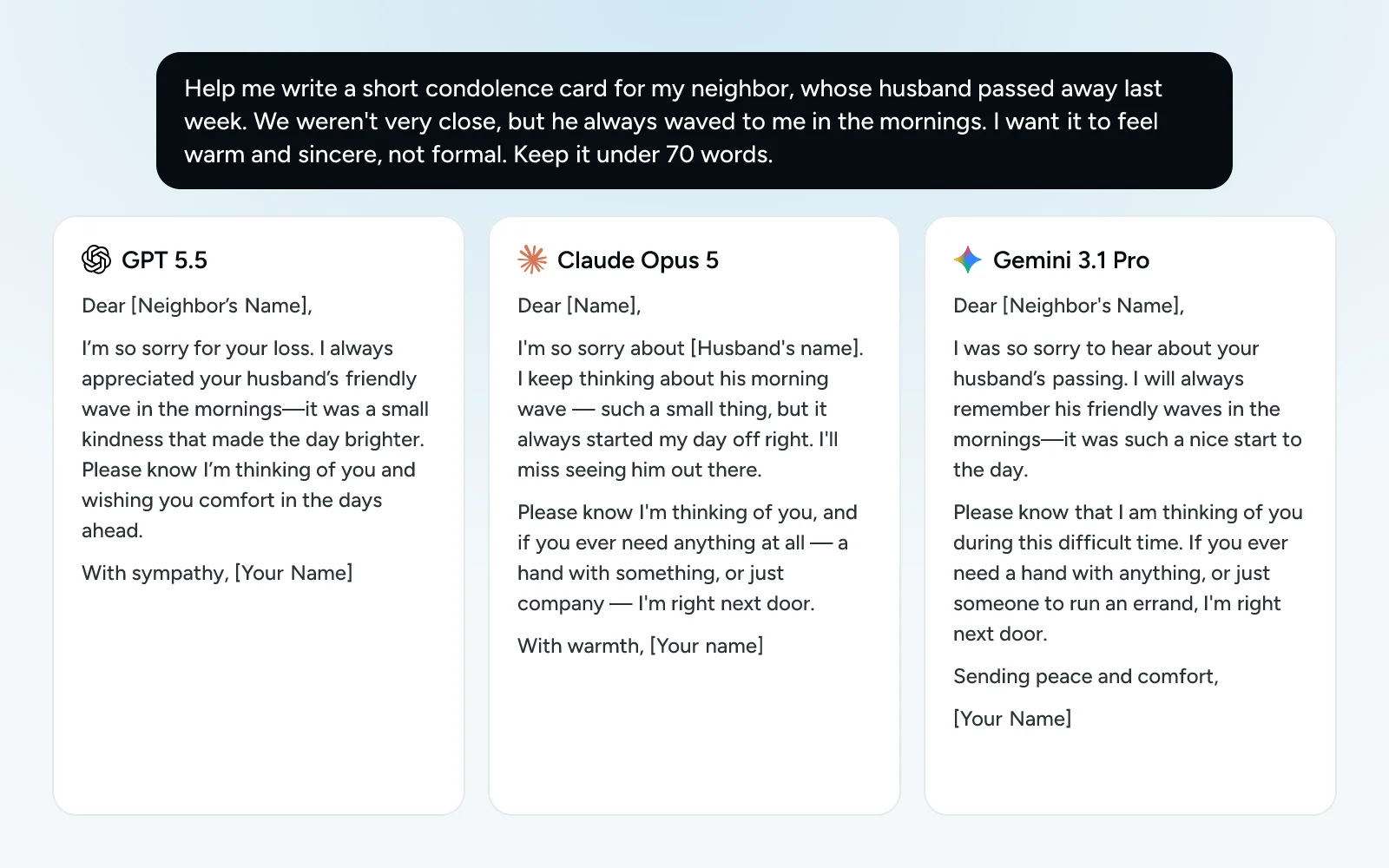
Ask two people for directions and you’ll get two different routes. AI models are the same. One writes a warmer card, another catches the detail you missed in a letter. Comparing them used to mean opening three websites and pasting the same text three times. Here it is one question, typed once.
How to compare models, step by step
- Open a new chat in chatmodel.
- In the message box, open the Tools menu and choose Compare models. Two chats appear side by side.
- Pick a model at the top of each column. For example, OpenAI GPT 5.5 on the left and Claude Opus 5 on the right.
- Want more? Press New chat to add a column, up to six. Remove chat takes one away.
- Type your question in the shared box, the one that says Message all chats…, and send it. Every model answers at the same time.
The button at the top of this page opens Compare with GPT 5.5 and Claude Opus 5 already chosen.
Ready-made comparisons
These links open Compare with the models already in their columns. You only type the question.
| Compare | Open it in chatmodel | Our test |
|---|---|---|
| ChatGPT vs Claude | Open the comparison | Read our test |
| ChatGPT vs Gemini | Open the comparison | Read our test |
| Claude vs Gemini | Open the comparison | Read our test |
| ChatGPT vs DeepSeek | Open the comparison | Read our test |
| The newest: GPT 6 Astra vs Claude Fable 5.1 | Open the comparison | Read our test |
| The big four: ChatGPT, Claude, Gemini and Grok | Open the comparison | Read our test |
Reading the answers
Read them the way you’d read two quotes from a builder: not just which one sounds nicer, but which one got the facts right and answered what you actually asked.
- Check the facts first. Names, dates, amounts. If two models disagree, one of them is wrong, and that is your cue to check.
- Then look at what you’ll use. For a card or an email, read it out loud. For a plan, see which one you’d actually follow.
- Mix and match. Nothing stops you from taking the opening of one and the ending of another.
Carry on with one of them
Each column has a switch between Grouped and Apart:
- Grouped: the column answers whatever you type in the shared box.
- Apart: the column has its own box (Message this chat…), so you can keep talking to that model alone, while the others wait.
When you’ve found your favorite, press Open chat on it. It becomes a normal conversation and you can keep going from there.
Good questions to compare
Comparing is most useful when the answer matters or when taste matters:
- A letter you need to get right: a complaint, a condolence card, a reply to your landlord.
- Something with facts in it: a confusing bill, a medical leaflet, an insurance letter.
- A plan: a trip, a week of dinners, a budget.
We did exactly this, with eight everyday tasks, for our tested comparisons. If you’d like to see the results before trying it yourself, start with ChatGPT vs Claude or the best AI chatbot.
What to keep in mind
- Most models are in the Pro plan. The free ones are Instant and OpenAI GPT 4o mini. See plans and pricing.
- Each column counts as a chat. Comparing six models uses six answers.
- Not in incognito. Compare is turned off in incognito mode.
- Any model can get a fact wrong, even when it sounds sure. Comparing helps you notice, but double-check anything important.