Skip to content
chatmodel

Everyday guide 4 min read

Update your CV with AI, without sounding like a robot

Whether you're changing jobs or going back to work after a break, AI helps you say what you've done in clear, confident words. You bring the experience, it helps with the wording.

By the chatmodel team, tested in the app Try it in chatmodel
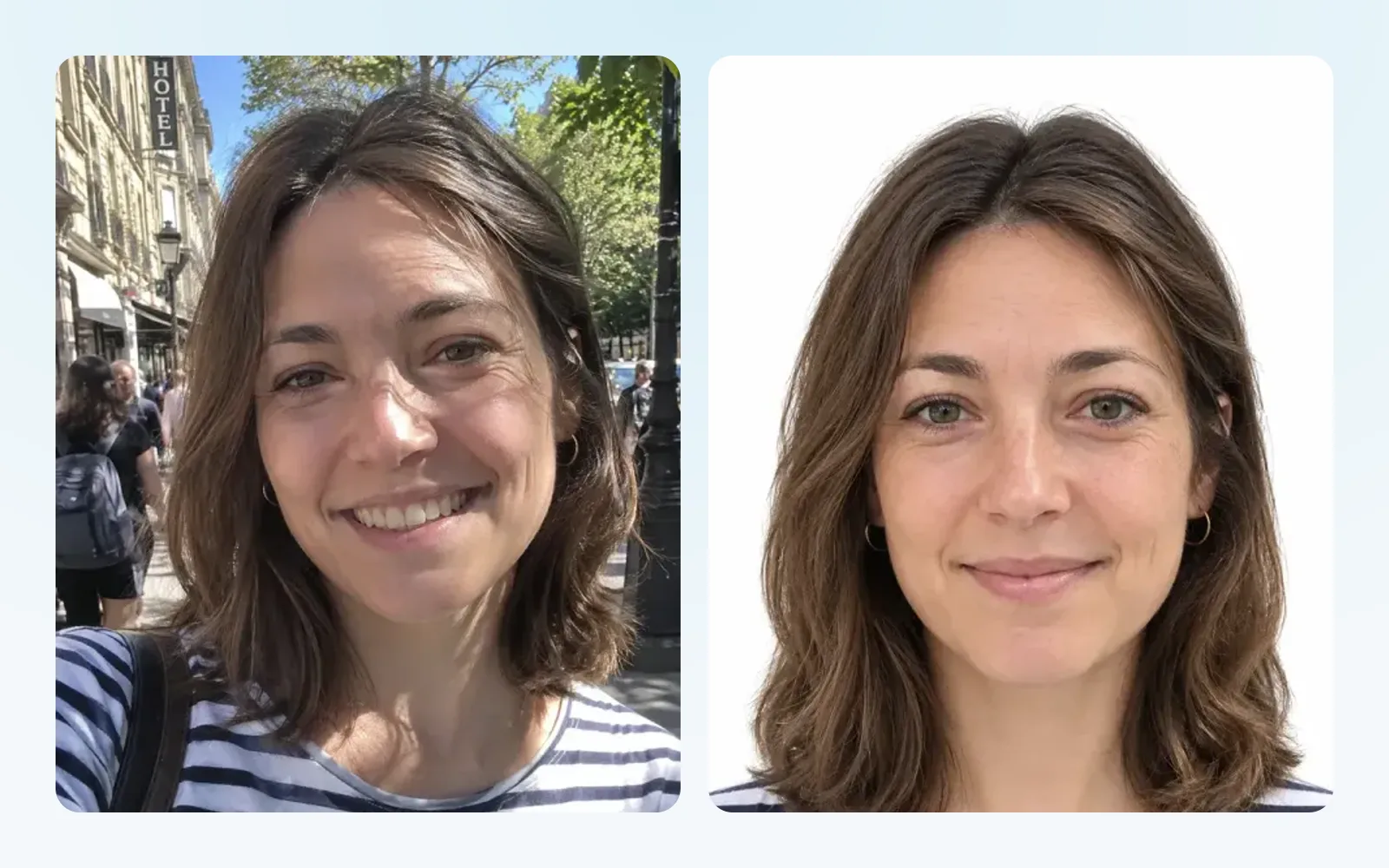
A street selfie next to the clean, plain-background photo chatmodel made from it

Messages you can use right now

Press “Try this” and chatmodel opens with the message already written. Change the details in brackets and send it.

Rewrite my experience

“Here is the experience section of my CV: [paste it]. Rewrite it so each job has 3 to 5 short bullet points that start with an action and show results where possible. Keep everything true: don't add anything I didn't mention. If a result would be stronger with a number, ask me for it instead of making one up.”

Try this

Tailor it to a job ad

“Here is my CV: [paste it]. And here is the job I'm applying for: [paste the job ad]. Tell me which of my experience matches the job best, what's missing, and rewrite my summary and the top of my CV so it speaks to this role. Don't invent skills I don't have.”

Try this

Write a short profile

“Write a 3-4 line profile for the top of my CV. I'm a [job title] with [number] years of experience in [industry or field]. I'm good at [2-3 strengths] and I'm looking for [the kind of role you want]. Make it confident but not boastful, and avoid clichés like “team player” and “hard-working”.”

Try this

Explain a career gap

“I have a gap in my CV from [year] to [year] because [reason, e.g. caring for a family member, raising children, health, a move abroad]. Suggest one honest, positive line I can put on my CV, and how I could explain it in 2-3 sentences if they ask in an interview.”

Try this

Write the cover letter

“Write a cover letter for the job of [job title] at [company]. Here's the job ad: [paste it]. Here are the two or three things from my experience I'm proudest of: [list them]. Keep it under 250 words, warm and direct, and end by asking for an interview.”

Try this

Practice the interview

“I have an interview for [job title] at [company]. Ask me the 8 questions I'm most likely to get, one at a time. After each answer I give, tell me what was good and how I could make it stronger.”

Try this

How to update your CV with AI

  1. Gather what you have. Your old CV, even if it’s years out of date, or just a list of jobs and dates.
  2. Fix the wording first. Use the “rewrite my experience” message above. You’ll get shorter, clearer bullet points.
  3. Tell it what’s true. AI sometimes adds details that sound good but didn’t happen. Remove anything that isn’t yours.
  4. Tailor it for each job. Paste the job ad and ask it to match your CV to it. Five minutes per application makes a big difference.
  5. Write the cover letter. Give it the job ad and two things you’re proud of. Then make it sound like you.
  6. Read it aloud. If a sentence sounds like something you would never say, change it.

Tips from people who hire

Results beat duties. “Cut delivery complaints by half” says more than “responsible for deliveries”. If you don’t remember the number, a rough honest one is fine, or leave it out.

Short is kind. Recruiters skim. Ask the AI to keep bullets to one line where possible.

Don’t hide your experience. Years of work are a strength. Ask the AI to focus on the last ten to fifteen years and summarize older roles in one line.

Watch the clichés. Ask the AI to remove phrases like “results-driven” and “passionate”. Specific examples are more convincing.

A few honest limits

AI doesn’t know your industry’s unwritten rules in every country, and it can get facts wrong. It also doesn’t know what you really did unless you tell it. Use it for wording and structure, and keep the facts yours.

For the cover letter, the Help Me Write tool lets you pick the type “Cover Letter” and a tone. If the job is in another language, Translate keeps the tone of your CV.


Frequently asked questions

Will employers know I used AI?

Not if you use it as a helper and make the final CV sound like you. Read it aloud, change anything you wouldn't say, and make sure every line is true.

Can AI make my CV fit on one page?

Yes. Paste your CV and ask it to shorten it to one page, keeping the most relevant experience for the job you want. Then check that nothing important was cut.

Is it safe to paste my CV into a chat?

You can remove your phone number, address and email before pasting. The AI doesn't need them to improve the wording.

Can it turn my CV into a Word document?

Yes. chatmodel has a Create a Document tool that drafts a Word file you can download and edit.

Keep reading

All of these models, in one place

Chat, images, video and tools with the best AI models. Switch between them whenever you want.

Start for free

Chatmodel is an independent service offering access to third-party AI models. AI can make mistakes. Using Chatmodel means you agree to our Terms and Privacy Policy.